Download Fedora Transformation Pack – Windows XP, Linux Aesthetic, Desktop Customization, Visual Overhaul
Overview
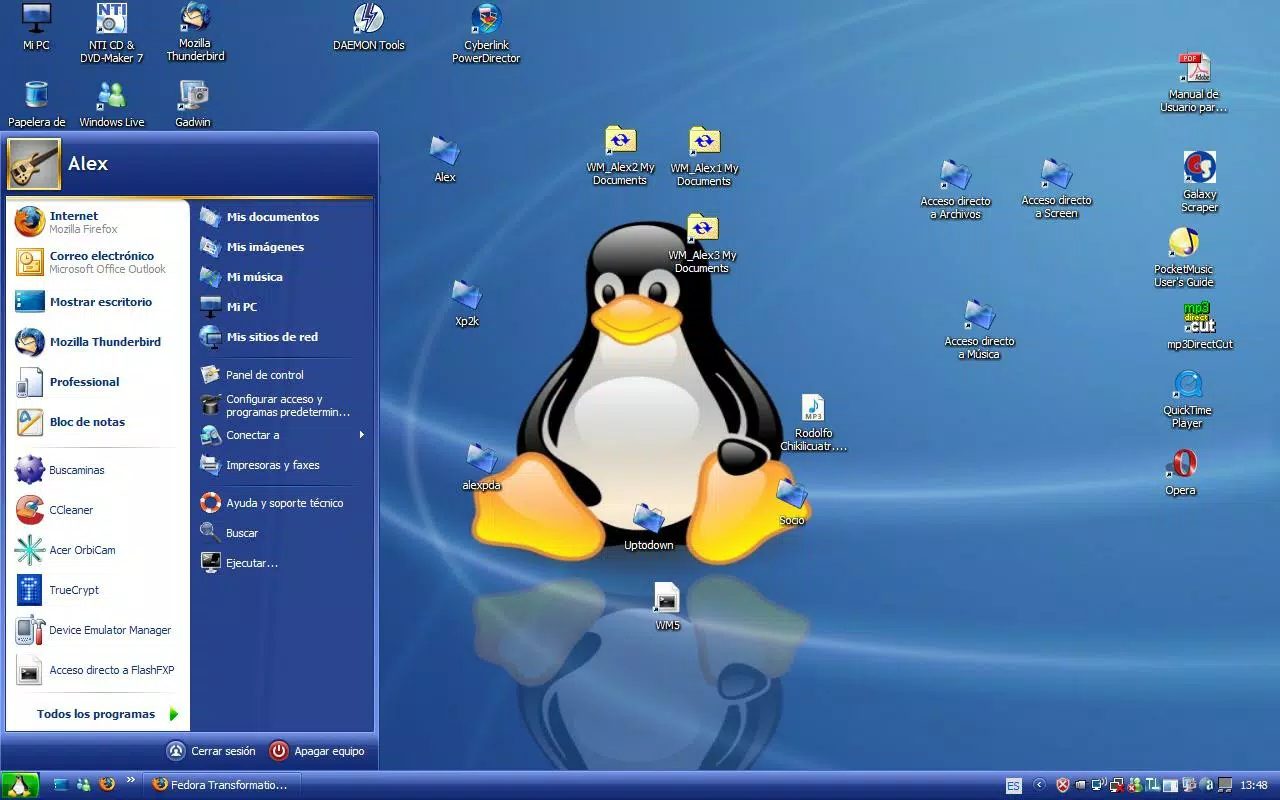
The Fedora Transformation Pack is a specialized utility designed to bring the visual identity of Fedora Linux to users running Windows XP. This application serves as a desktop customization tool that enables users to transform their operating system’s interface into a close approximation of the Fedora desktop environment. Its primary purpose is to offer a fresh, modern aesthetic for those who appreciate the clean lines, minimalist design, and user-centric philosophy of Linux-based systems but remain reliant on the Windows XP platform.
Target users include long-time Windows XP users seeking a visual refresh, enthusiasts of open-source design, and individuals exploring Linux aesthetics without switching operating systems. The application addresses the desire for a more contemporary interface in an outdated OS environment, offering a sense of immersion through visual consistency across desktop, menus, icons, and application windows. Real-world use cases include personal computing environments where users want to express individuality through design or improve usability with a more intuitive layout.
Although the developer did not provide additional technical details, the application’s release date of March 11, 2008, indicates it was developed during a period when desktop customization was a popular niche activity. Its presence in the ecosystem reflects the broader trend of cross-platform design inspiration, allowing users to experiment with alternative visual identities on legacy systems.
Key Features & Functionality
- Complete Desktop Transformation: The pack replaces the default Windows XP desktop with a Fedora-inspired layout, including a new wallpaper and visual elements that mirror Fedora’s signature design language. This creates a cohesive, immersive experience that closely resembles the Fedora desktop.
- Modified Start Menu: A redesigned Start menu with layout and styling inspired by Fedora’s interface improves navigation and adds a modern touch to the traditional XP Start menu.
- Custom Icons and System Tray: Default Windows icons are replaced with Fedora-themed versions, extending the visual theme to the system tray and enhancing interface consistency.
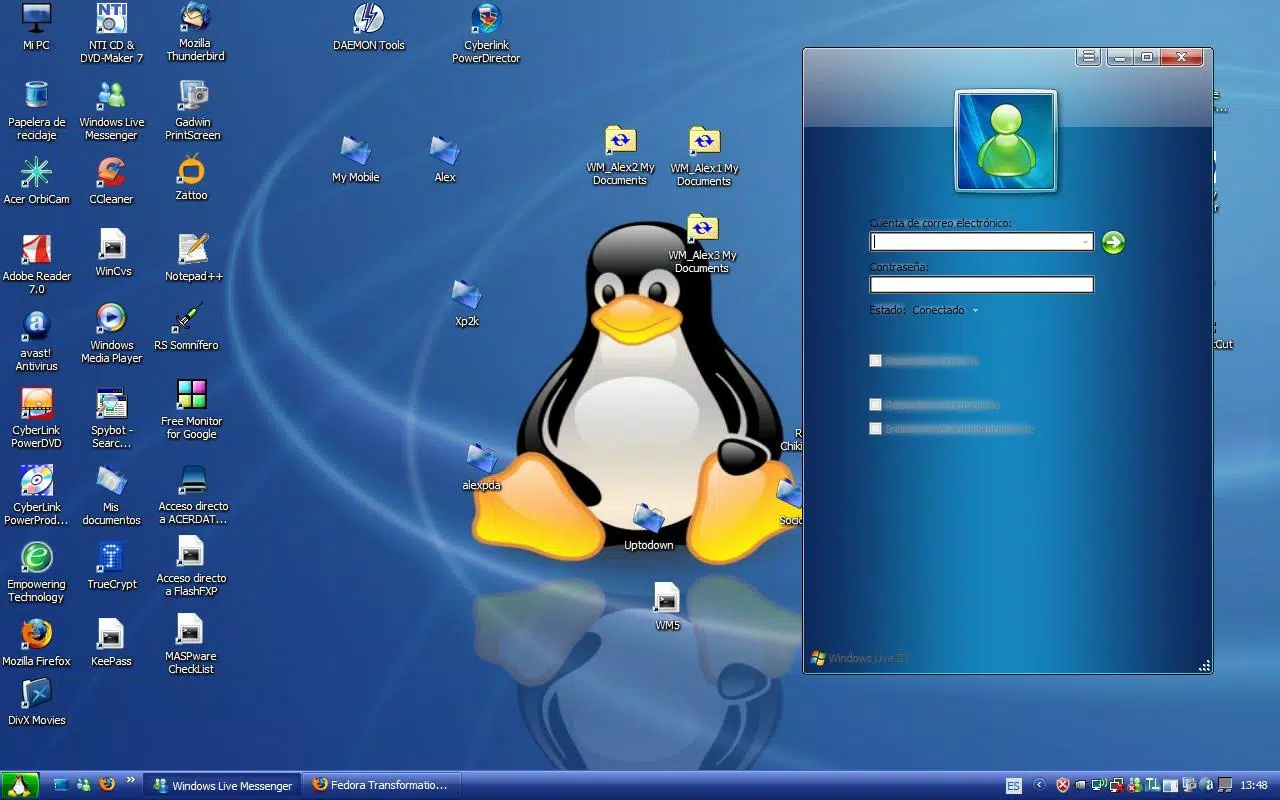
- Updated Application Windows: All standard application windows are skinned to match the Fedora aesthetic, ensuring that every interaction maintains visual harmony.
- MSN Messenger Skin and Effects: A custom skin for MSN Messenger, along with transparency effects, adds a dynamic and polished feel to instant messaging, contributing to the overall modern look.
Each feature is designed to work together to deliver a unified visual experience. For example, users who enjoy a consistent interface across all elements—desktop, menu, icons, and applications—will find this pack particularly valuable. The inclusion of MSN Messenger customization demonstrates attention to detail, especially for users who relied heavily on instant messaging during the XP era.
Interface, UX & Performance
The Fedora Transformation Pack operates as a desktop customization utility, modifying the visual layer of Windows XP without altering core system functions. The interface is not interactive in the traditional sense, as the application applies changes to the system’s graphical elements rather than offering a user-facing dashboard. Users typically install the pack through a setup wizard, which applies the visual changes and reconfigures system components.
Navigation is straightforward: users run the installer, select options if available, and restart the system to see the changes. The design emphasizes simplicity and accessibility, making it suitable for users with basic technical knowledge. Although the developer did not list formal performance metrics, the pack is designed to function on older hardware typical of the Windows XP era. Responsiveness is expected to be stable, as the modifications are purely visual and do not rely on intensive processing.
Stability is maintained through the use of standard Windows system resources. The application does not introduce known conflicts with XP, and the visual changes are reversible through the provided uninstaller. However, compatibility with third-party software or system updates was not specified.
Platform Compatibility & Technical Requirements
The Fedora Transformation Pack is designed for the Windows XP operating system. It is intended to run on standard Windows XP installations, though specific version requirements were not listed. The application’s file size is not disclosed in the provided information.
Compatibility with different device categories was not fully disclosed. However, given its release date and target platform, it is likely optimized for older hardware configurations common in the mid-2000s. The developer did not specify minimum OS requirements beyond Windows XP, nor did they provide information about processor, RAM, or storage needs.
Pros and Cons
Pros
- Offers a complete visual overhaul of the Windows XP interface with a Linux-inspired aesthetic.
- Provides consistent design across desktop, Start menu, icons, system tray, and application windows.
- Includes a custom MSN Messenger skin with transparency effects for enhanced visual appeal.
- Designed for ease of installation and reversal, suitable for non-technical users.
- Allows users to experiment with open-source design principles without switching operating systems.
Cons
- Not compatible with modern operating systems; limited to Windows XP only.
- Specific system requirements were not listed, which may pose challenges for some users.
- Visual changes are non-functional; no performance or usability improvements beyond appearance.
- Released in 2008, so it may lack support for newer hardware or software.
- Does not include updates or future development from the original developer.
FAQ
Is the Fedora Transformation Pack safe to install on Windows XP?
Yes, the application is designed to modify only visual elements of the operating system and does not interfere with core system functions. However, users should ensure they have a backup or system restore point before installation.
Can I uninstall the transformation pack if I change my mind?
Yes, the pack includes an uninstaller to revert the system to its original appearance. This allows users to remove all applied changes easily.
Does this app improve system performance?
No, the application only changes the visual appearance of the interface. It does not enhance speed, stability, or resource management.
Is the Fedora Transformation Pack available for Windows 10 or later?
Based on the release date and platform specification, the pack is only compatible with Windows XP. It is not available for modern operating systems.
Do I need special permissions to install this app?
Installation typically requires administrative privileges, as it modifies system-wide graphical components. Users should ensure they have admin rights on their machine.
Final Thoughts
The Fedora Transformation Pack stands as a unique example of cross-platform design inspiration, offering Windows XP users a rare opportunity to experience the visual elegance of Fedora Linux. While it does not alter functionality, its ability to transform the desktop into a cohesive, modern interface makes it a compelling tool for enthusiasts and nostalgic users alike. Its clean design, attention to detail, and ease of use underscore its value as a utility for personalization.
For those who appreciate open-source aesthetics and wish to explore Linux-inspired visuals on a legacy system, this app delivers on its promise. It’s a testament to the creativity of the early 2000s software community, where customization was a form of self-expression.
Download Fedora Transformation Pack now


